What is a VPN? How it works and what it does (in plain English)

TL;DR
- A VPN encrypts your connection between your device and a VPN server, hiding your IP address from many websites
- It helps reduce exposure on public Wi-Fi and prevents ISP surveillance, but doesn't make you anonymous
- VPNs can't stop website tracking through cookies, fingerprints, or logged-in accounts
- Key features to look for: no-logs policy, kill switch, modern protocols (WireGuard/OpenVPN), and private DNS
- Best for: protecting sensitive data on untrusted networks, preventing ISP monitoring, and basic privacy protection
What a VPN Does (and Doesn't)
✅ A VPN does: - Encrypts your connection between your device and the VPN server - Helps reduce exposure on public networks - Hides your IP from many websites and services - Routes traffic through a server you choose (changes apparent location)
❌ A VPN doesn't: - Make you anonymous - Stop all tracking (cookies and fingerprinting still exist) - Encrypt data end-to-end across the entire internet - Protect you from phishing, malware, or human error
You've heard VPNs protect your privacy. But what does that actually mean?
If you're browsing from a coffee shop, streaming from a hotel, or trying to keep your ISP from tracking your browsing data—does a VPN fix that? And what about all the tracking that happens after you land on a website?
This guide strips away the marketing speak and explains what VPNs actually do, how the technology works, and—just as importantly—what they can't protect you from. No hype. No absolute claims. Just the technical reality, explained clearly.
How VPNs Work: The Technical Basics
Encryption: Your Private Tunnel
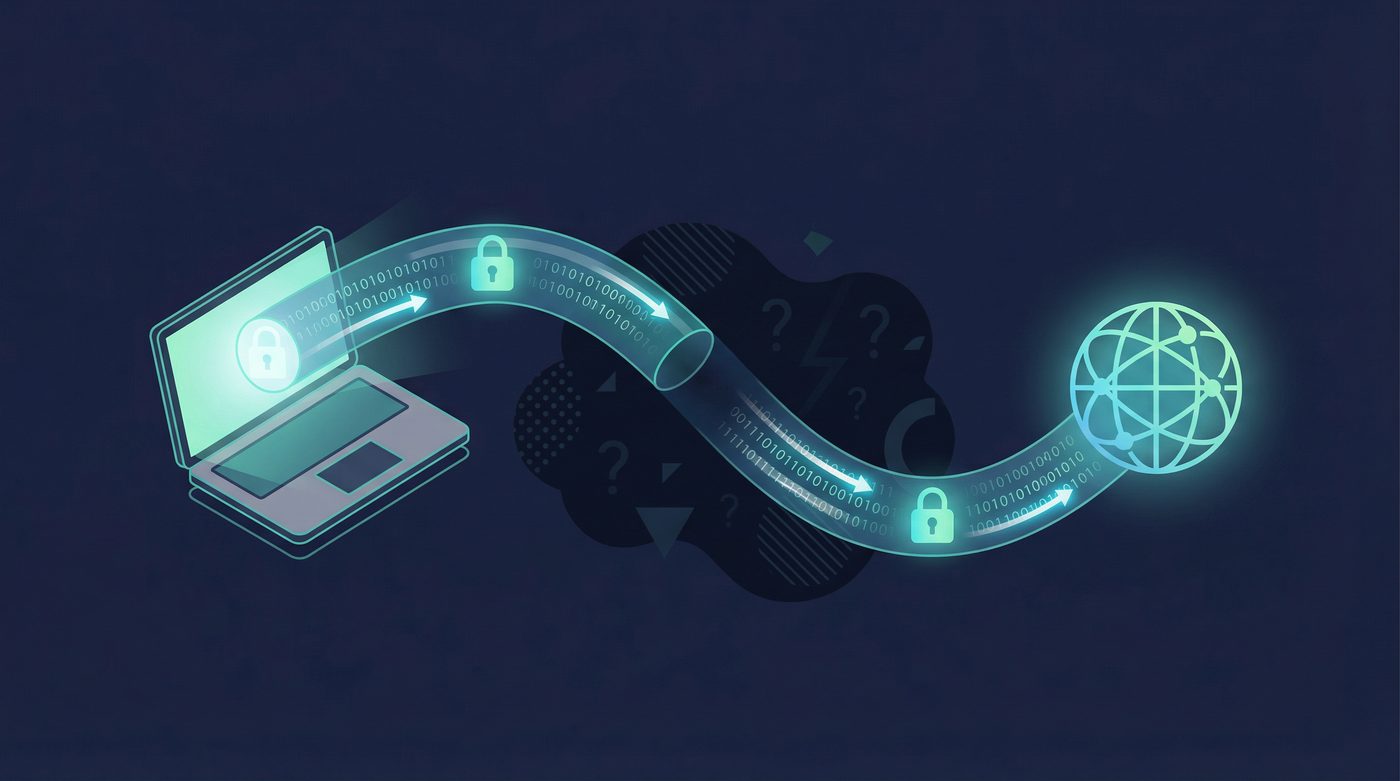
A VPN creates an encrypted tunnel between your device and a VPN server. This means your internet traffic is scrambled so that ISPs, network administrators, and potential attackers can't see what you're doing.
Modern VPNs use two widely supported protocols:
- WireGuard is designed for high performance and modern cryptography. It's lean, fast, and built with current security standards.
- OpenVPN is a mature, widely supported protocol. It's been battle-tested for years and remains a reliable choice.
Both use strong encryption algorithms like AES-256 (Advanced Encryption Standard) or ChaCha20 to protect your data. What does that mean for you? Your traffic is encrypted between your device and the VPN server, making it unreadable to anyone trying to intercept it.
IP Address Masking
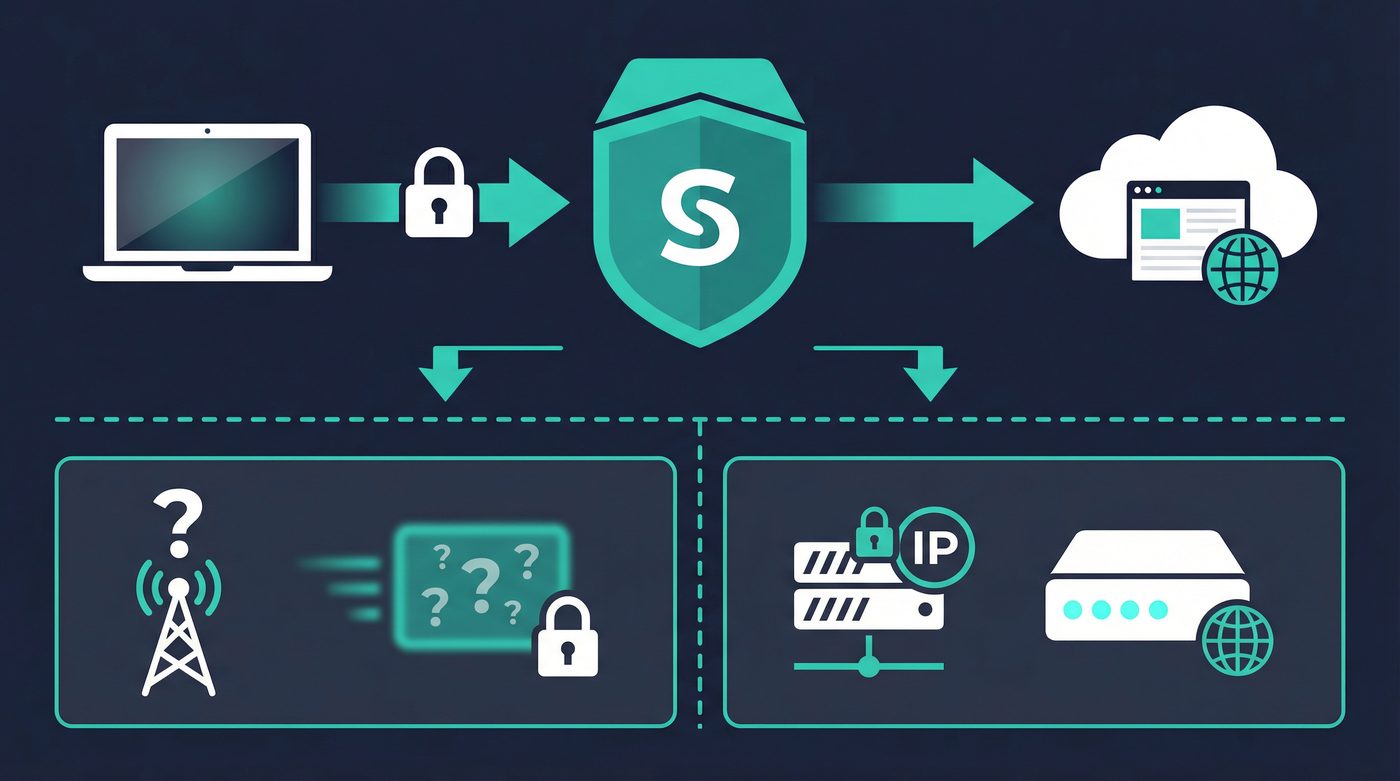
When you connect to a VPN, websites see the IP address of the VPN server—not your real one. This helps reduce exposure in a few ways:
- Privacy: Your ISP and network admin can't see which sites you visit
- Location: Websites see the server's location instead of yours
- Restrictions: You can route through servers in different regions to access region-specific content
Important caveat: Your VPN provider sees your real IP address. This is why a no-logs policy is critical—it's the only way to ensure your provider isn't collecting or storing connection data. Learn more: No-logs explained: what it means, what to look for, and how we design for it
The VPN Tunnel: Step-by-Step
Here's what happens when you use a VPN:
- You connect to a VPN server (chosen location)
- Your device encrypts all outbound internet traffic
- Data travels through the encrypted "tunnel" to the VPN server
- The VPN server decrypts your request and forwards it to the internet
- Responses return through the same encrypted path back to your device
Think of it as a secure pipe: your ISP, public Wi-Fi operators, and network snoopers can see data flowing through the pipe, but they can't see what's inside.
Common VPN Use Cases (When They Actually Help)
Public Wi-Fi Protection
Open networks at airports, coffee shops, and hotels are convenient—but dangerous. Without encryption, attackers on the same network can intercept your traffic (a technique called packet sniffing) or even impersonate trusted services (man-in-the-middle attacks).
A VPN encrypts your connection before data leaves your device, protecting login credentials, messages, and browsing activity from local threats.
Learn more: VPN on public Wi-Fi: the real risks and a simple protection checklist
Hiding Activity from Your ISP
Your internet service provider can see every site you visit and every DNS query your device makes—and they often log this data. In many countries, ISPs sell anonymized browsing histories to advertisers or hand data over to government agencies.
A VPN encrypts your browsing history and DNS queries, so your ISP only sees encrypted traffic going to the VPN server. They know you're using a VPN, but not what you're doing.
Learn more: Private DNS: why DNS leaks happen and how Private DNS helps
Avoiding Location-Based Restrictions
By routing traffic through a server in a different location, you can access content that's restricted to specific regions. This works for some services—but it's not guaranteed.
Many streaming platforms, financial services, and regional websites actively detect and block VPN traffic. Your mileage will vary.
Preventing Bandwidth Throttling
Some ISPs slow your connection when they detect certain activities: streaming, torrenting, or gaming during peak hours. Because a VPN hides what you're doing online, ISPs can't selectively throttle specific types of traffic.
Trade-off: VPNs can also introduce overhead (encryption + routing distance) that may slow your connection. Modern protocols like WireGuard minimize this, but it's still a factor.
What VPNs Can't Protect You From
Website-Level Tracking
A VPN hides your IP address from websites, but it doesn't stop tracking that happens after you visit a site:
- Cookies follow you across websites, building behavioral profiles
- Browser fingerprinting identifies you based on device specs, fonts, and settings
- Logged-in sessions let platforms like Google and Facebook track you across the web
If you're signed into an account, the platform knows who you are—VPN or not. Privacy is a stack: you need a VPN plus privacy-focused browser settings and tracker blockers.
Learn more:
- Browser fingerprinting: what it is and how to reduce it
- Tracking 101: cookies, pixels, device IDs — and where a VPN fits
Malware, Phishing, and Human Error
VPNs don't scan files, block malicious sites, or prevent you from clicking phishing links. Those threats require different tools: antivirus software, browser security features, and user awareness.
A VPN encrypts your connection—it doesn't replace common-sense security practices.
The VPN Provider Itself
Your VPN provider technically sees: - Your real IP address - Which VPN server you connect to - When you connect and for how long - (If they choose to log) which sites you visit
This is why no-logs policies matter. If a provider doesn't log browsing activity, they can't hand over data they don't have.
Choosing a VPN: What Actually Matters
Key Factors
- No-logs policy – The provider shouldn't keep records of your browsing activity.
- Kill switch – Blocks internet traffic if the VPN connection drops, preventing accidental IP exposure.
- Modern protocols – WireGuard or OpenVPN. Avoid outdated protocols like PPTP or L2TP.
- Private DNS / DNS leak protection – DNS requests stay inside the encrypted tunnel instead of leaking to your ISP.
- Jurisdiction – Where the company is based affects what data can be legally demand
Red Flags
- Free VPNs – If you're not paying, how does the service make money? Often: selling data or injecting ads.
- Absolute claims – "Total anonymity," "100% untraceable," "guaranteed privacy" are marketing myths.
- Vague logging policies – If the privacy policy is unclear or missing, assume the worst.
- No kill switch – This is a standard feature. If it's missing, skip the provider.
Learn more: Free vs paid VPNs: privacy, security, and the hidden tradeoffs
The PrivateByRight Approach
We design systems to minimize data collection and focus on clear privacy practices. Here's what that looks like:
No-logs
We don't log what you do online. No browsing history, no connection logs, no IP addresses stored. Our no-logs policy is designed to be audited and verified by third parties.
Kill switch
Blocks internet traffic if the VPN disconnects. Helps prevent accidental IP exposure on disconnect.
WireGuard + OpenVPN
Two protocols with different tradeoffs. WireGuard is designed for high performance and modern cryptography. OpenVPN is a mature, widely supported protocol. You choose based on your needs.
Private DNS
DNS requests stay inside the encrypted tunnel. Helps reduce DNS leak risk and keeps queries away from your ISP.
Split tunneling
Route selected apps through the VPN while others use your normal connection. This is useful for accessing local network devices or services that block VPNs.
Transparency + Impact
Part of every subscription supports privacy, press freedom, and human-rights initiatives. We publish updates and reporting in our Transparency Hub, and all impact reporting is aggregated and anonymized.
RAM-only servers
Where possible, we use RAM-only servers. When a server reboots, all data is wiped. There's no persistent storage of session data.
We aim to be clear about what we do—and what we don't do. Privacy is a stack: VPN + browser settings + device hygiene.
FAQs
Does a VPN make me anonymous?
No. A VPN helps reduce exposure on public networks and hides your IP from many websites, but it doesn't make you anonymous. Websites can still track you through cookies, fingerprinting, and logged-in sessions.
For stronger anonymity, layer a VPN with other tools like Tor, privacy-focused browsers, and tracker blockers.
Learn more: Do VPNs make you anonymous? What a VPN can and can't hide
Will a VPN slow my internet?
Possibly. Your traffic is encrypted between your device and the VPN server, which adds overhead. Routing through a remote server also introduces latency. Modern protocols like WireGuard minimize this, but distance and server load still matter.
Poor server choice or provider infrastructure can make it worse.
Can my VPN provider see what I'm doing?
Technically, yes—unless they have a strict no-logs policy and don't store connection data. That's why provider trust is critical. Look for providers with no-logs policies and transparent reporting.
Do I need a VPN at home?
It depends on your threat model. If you want to hide browsing from your ISP, avoid throttling, or reduce exposure to network-level surveillance, a VPN helps. If you're mainly worried about website tracking, focus on browser privacy tools and ad blockers instead.
Privacy is a stack. A VPN is one layer.
Are free VPNs safe?
Usually no. Most free VPNs make money by logging and selling your data, injecting ads, or limiting speeds to push paid upgrades. Running a secure VPN network is expensive. If you aren't paying for the product, you are the product.
What is a kill switch?
A kill switch is a security feature that blocks your internet connection if the VPN drops unexpectedly. This prevents your real IP address and unencrypted data from leaking to your ISP or the local network.
Learn more: Kill switch: what it is, why it matters, and how to test it
What is a VPN leak?
A VPN leak happens when your VPN fails to route all traffic through the encrypted tunnel. The most common types are DNS leaks (where your ISP sees your DNS requests), IPv6 leaks, and WebRTC leaks (which can expose your real IP address).
Learn more: VPN leaks explained: DNS, IPv6, and WebRTC, and how to check yours
Sources & Further Reading
- WireGuard: Next Generation Kernel Network Tunnel
- OpenVPN Security Overview
- The State of DNS Privacy
- Browser Fingerprinting: An Introduction and the Challenges Ahead
- Understanding VPN Leaks
Related Guides
- No-logs explained: what it means, what to look for, and how we design for it
- Tracking 101: cookies, pixels, device IDs — and where a VPN fits
- VPN on public Wi-Fi: the real risks and a simple protection checklist
- VPN leaks explained: DNS, IPv6, and WebRTC, and how to check yours
- WireGuard vs OpenVPN: differences, tradeoffs, and which to choose
- Private DNS: why DNS leaks happen and how Private DNS helps
- Browser fingerprinting: what it is and how to reduce it
- Free vs paid VPNs: privacy, security, and the hidden tradeoffs
- Kill switch: what it is, why it matters, and how to test it
- Do VPNs make you anonymous? What a VPN can and can't hide